 3Dify Studio
Import & clean
Drop a photo, remove the background with Vision or BiRefNet, then refine the mask with brush and lasso — including every multi-view extra.
Native Mac app · Apple Silicon · On-device
A native Swift studio for Apple Silicon — drop a photo, generate a mesh, paint texture with MLX. No cloud queue. Your images stay on your Mac.
The app
3Dify Studio is a native macOS app. Install it, download models once, and generate on your Silicon.
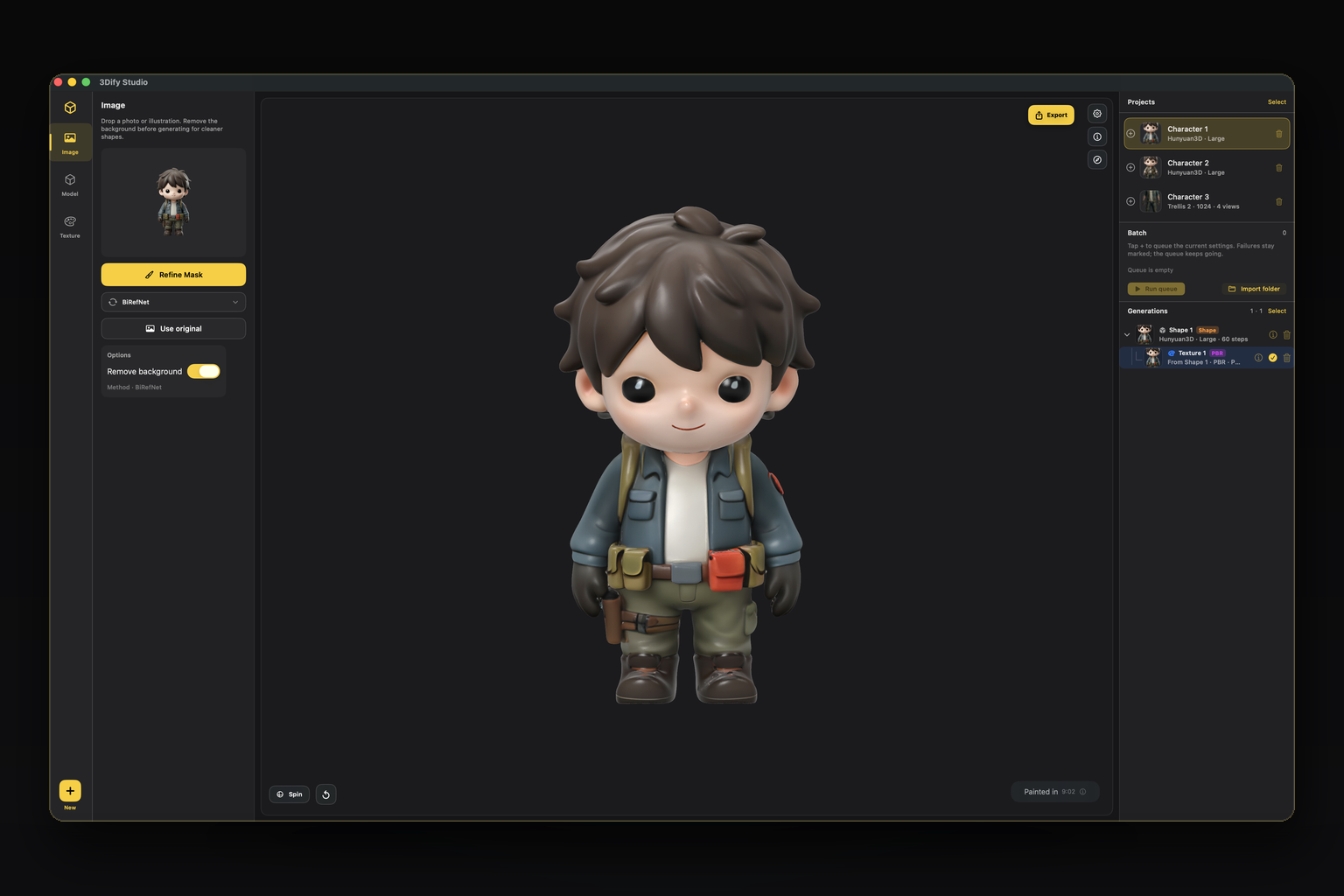
Native SwiftUI
Gallery
Example exports from the app — orbit a mesh, then browse the photos used for that run.
Photos used as multi-view conditioning.
More pieces coming — each run can ship as a spinning mesh or a studio still.
How it works
Built like a studio tool. Stages for Image, Model, and Texture keep the path clear.
Drop a photo, remove the background with Vision or BiRefNet, then refine the mask with brush and lasso — including every multi-view extra.
Pick Hunyuan3D, Trellis 2, or Pixal3D. Add turnaround views for Trellis (and experimental Pixal). Queue batch runs with snapshotted settings.
Bake native UVs or paint Color / PBR. Export GLB, OBJ, STL, or PLY for Blender, engines, AR, or print.
Apple Silicon
3Dify Studio is a SwiftUI app wired into MLX and Metal — in-process inference, a real studio shell, and a batch queue that can run while you sleep.
Features
New workflows for multi-view, batches, and precise masks — still 100% on-device.
Add turnaround extras for Trellis (and experimental Pixal). Main + extras condition together; remove background and refine masks on every view.
Queue the same project multiple times with different settings. Each + captures the setup at that moment. Failures stay marked; the queue keeps going.
Hunyuan3D, Trellis 2, and Pixal3D — install only what you need. Native texture bake on Trellis / Pixal, or paint Color and PBR with Hunyuan.
Vision, BiRefNet, BiRefNet HR, Lucida. Brush and lasso refine on the main image and on every multi-view extra.
No cloud API for generation. Photos and meshes stay on your Mac. Anonymous product analytics only. Export when you are ready — GLB, OBJ, STL, PLY.
Multi-select delete, generation trees, live run indicators, and version history so long sessions stay manageable.
Models
Download from Hugging Face inside Manage Models, or import a local weights folder.
SDF shape generation with Color and PBR paint. Small and Large checkpoints — the paint path that textures any studio mesh.
Structured latents for detailed meshes, native UV bake, and true multi-view conditioning from turnaround photos.
Feed-forward generation with projection conditioning, optional MoGe FOV, native texture, and experimental multi-view fuse.
Download
No credits, no account wall for generation. If the studio helps your work, support is optional.
Credit/Debit Card, PayPal, or Venmo
Requires macOS on Apple Silicon · MLX · Metal
FAQ
Yes for inference. You may download model weights from Hugging Face first (some gated repos need a read token). After that, generation runs on your Mac with no cloud queue.
Builds are not signed or notarized by Apple. Prefer the DMG helper:
double‑click Install & Open (it installs to Applications and clears
quarantine). Drag to Applications is the fallback. Manual:
xattr -dr com.apple.quarantine /Applications/3Dify\ Studio.app
No. Your photos and meshes are not sent to Fendercorp servers. Generation stays on-device.
Extra turnaround photos help Trellis reconstruct the back and sides more faithfully. Pixal multi-view is experimental. Background removal and mask refine apply to every view.
Yes. Queue projects (or the same project with different snapshotted settings). Failed or blocked items are marked; the queue continues with the next run.
Apple Silicon only (M1 and later). The app is tuned for unified memory and Metal via MLX.